Forex CRM Integrations: MetaTrader, Payment Gateways, KYC and More
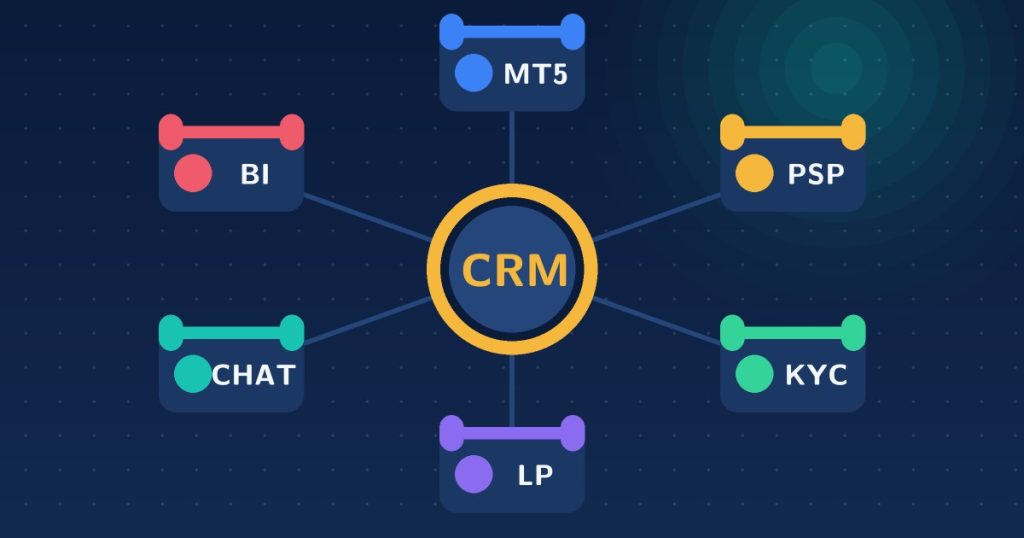
Quick answer: A good forex CRM integration setup connects six things: the MetaTrader Manager API for accounts and trades, payment gateways for deposits and withdrawals, KYC and AML providers, a liquidity bridge, support tools and reporting. The MetaTrader connection is the foundation; if it is shallow or delayed, everything built on top of it is unreliable.
A forex CRM is only as useful as the systems it connects to. Forex CRM integration is what turns a database of clients into an automated brokerage: accounts created without manual steps, deposits credited without a support ticket, KYC approved without emailing documents around. This guide walks through the integrations that matter, what each does and what to ask before you commit.
1. MetaTrader Manager API
This is the foundation. The Manager API gives the CRM direct access to the trading server so it can create and modify accounts, change groups and leverage, apply balance and credit operations and pull positions, balances and history. Without it, staff re-key data between systems. Questions to ask:
- Is the connection real time, or does it sync on a schedule?
- Which operations can the CRM perform: account creation, group changes, balance operations, password resets?
- Is there support for both MT4 and MT5? See the MT4 Manager API and MT5 Manager API, and our comparison of MT4 vs MT5 Manager API.
For the underlying concepts, read the MetaTrader API explainer.
2. Payment gateways and PSPs
Deposits and withdrawals are where clients judge you. The integration should let a client pay in the traders cabinet, have the gateway confirm, and see the funds in the trading account without anyone touching it. A strong setup includes:
- Automatic instant deposits
- Withdrawals that can be automated under conditions you define, with manual approval where needed
- Automatic internal transfers between a client’s own accounts
- Clear transaction records and reconciliation reports
Each payment method is typically its own integration, so budget time and cost per rail. The traders cabinet is where these flows live.
3. KYC and AML verification
You need document collection, status tracking and approval, and often a third-party verification service. Check whether the CRM stores documents in one place with one-click approve or reject, whether it can integrate with an external identity-verification provider and how it handles document expiry and re-verification.
4. Liquidity and bridge connections
If you run an A-book or hybrid model, orders must reach a liquidity provider through a bridge or gateway. The CRM does not usually sit in this path, but it needs to reflect which groups and accounts are routed where, so risk and finance see the same picture. Read B-book vs A-book for how the models differ.
5. IB, affiliate and multi-level structures
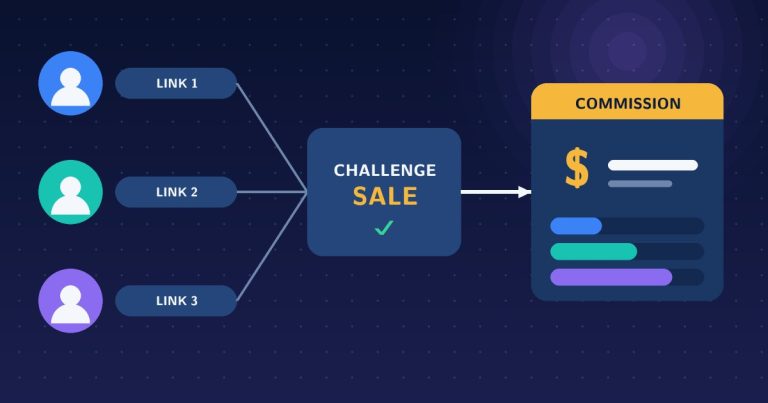
Commission engines integrate with trading activity from the platform. Confirm the CRM handles your structure: multi-level hierarchies, per-lot or revenue-based rates and partner dashboards. See how multi-tier commission tracking works.
6. Support, communication and reporting
- Ticketing and live chat attached to the client record
- Email and SMS for verification codes, notifications and campaigns
- Reporting and analytics for deposits, withdrawals, profit and loss, commissions and retention
- Accounting exports so finance does not rebuild the numbers by hand
7. Extensions: copy trading, MAM and PAMM
If you plan social or managed trading, check whether these modules are native to the CRM or separate products with separate integrations. Our forex copytrader guide explains how they work.
How integrations fail
- Delayed sync. A balance in the CRM that differs from the server causes disputes.
- Duplicate transactions. Retries without idempotency can credit a deposit twice.
- Silent failures. An API error that nobody sees leaves clients waiting.
- Weak security. Shared API keys, no audit trail and no access controls on sensitive actions.
Integration checklist
- Is the MetaTrader connection live and bidirectional?
- Which payment rails are supported out of the box and which need custom work?
- How is KYC handled and can I plug in my verification provider?
- What happens when an integration call fails or times out?
- Are there logs and an audit trail for every balance operation?
- Who maintains integrations when a provider changes its API?
- What does each additional integration cost?
When you are comparing vendors, our 12 questions for choosing a forex CRM puts integrations in context, and the complete forex CRM guide covers the rest of the feature set. You can see how our own Forex CRM connects to MetaTrader on its product page, or ask us for a walkthrough on WhatsApp.
Frequently asked questions
What integrations does a forex CRM need?
At minimum the MetaTrader Manager API, one or more payment gateways, a KYC verification method and a support channel. Larger brokers add liquidity bridges, accounting, analytics, email and SMS tools.
What is the most important forex CRM integration?
The MetaTrader Manager API. It lets the CRM create accounts, change groups and leverage, process balance operations and read trade history directly from the server.
How do payment gateways connect to a forex CRM?
Through a PSP integration in the traders cabinet. The client pays, the gateway confirms, and the CRM records the transaction and credits the trading account automatically, or queues it for approval if you require it.
How can I tell if an integration is reliable?
Ask for a live demonstration, check how the system handles failures and retries, and confirm whether data syncs in real time or on a schedule. Test with real money flows in a staging setup before launch.
Want to see the integrations working? Explore the Forex CRM or contact us for a walkthrough.