How to Set Up a MetaTrader Grey Label in 24 Hours: Step-by-Step
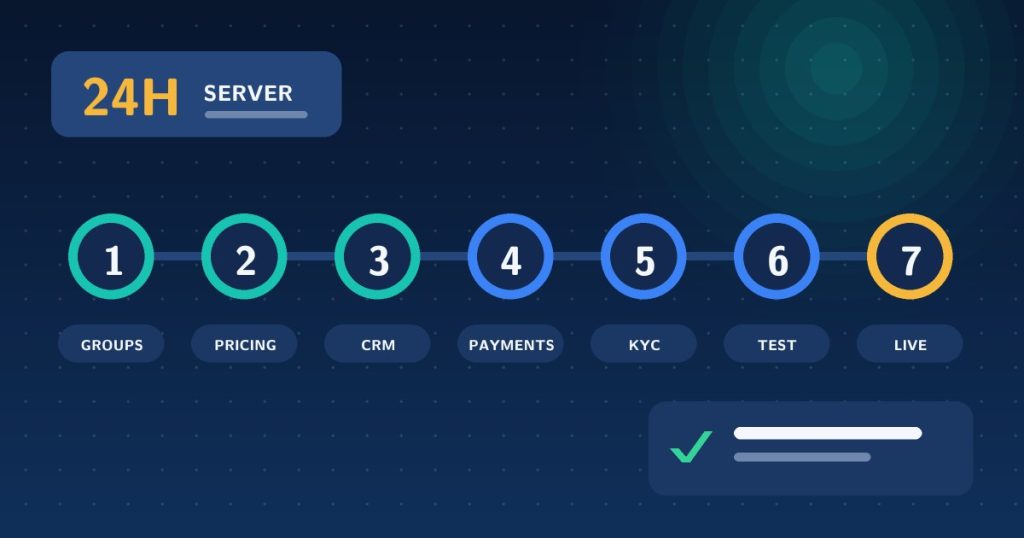
Quick answer: To set up a MetaTrader grey label: choose your provider, design your account groups, set markup, spread and commission, connect a CRM and traders cabinet, add payments and KYC, test the full client journey, then go live. The server side can be ready in under 24 hours, while the surrounding business takes longer.
Learning how to set up a MetaTrader grey label is mostly a matter of sequencing. The platform side is quick, because the provider already runs the server. What takes time is everything around it: deciding your products, pricing them sensibly and connecting the systems that handle clients and money. Follow these eight steps in order and you will avoid the usual false starts.
Step 1: Choose the right provider and confirm what is included
Get the inclusions in writing: number of groups, data feed, B-book rights, fees, uptime commitments and upgrade terms. Our own MetaTrader grey label includes an MT5 manager with up to 4 groups, free data feed, unlimited B-book and a go-live time of under 24 hours. For the full list of questions to ask any provider, see MetaTrader grey label: what you get and questions to ask.
Step 2: Design your account groups
Groups are your product range, and a small allowance means every one must earn its place. Decide what you will sell before you configure anything. A common pattern for four groups:
| Group | Purpose | Pricing style |
|---|---|---|
| Standard | Entry-level retail accounts | Spread markup, no commission |
| ECN-style | Active traders wanting tight spreads | Lower markup plus per-lot commission |
| VIP | Larger balances and volume | Reduced commission or markup |
| Promo or islamic | Campaigns or swap-free demand | Tailored to the audience |
This is an illustrative layout, not a recommendation. Match it to the clients you actually expect.
Step 3: Set markup, spread and commission
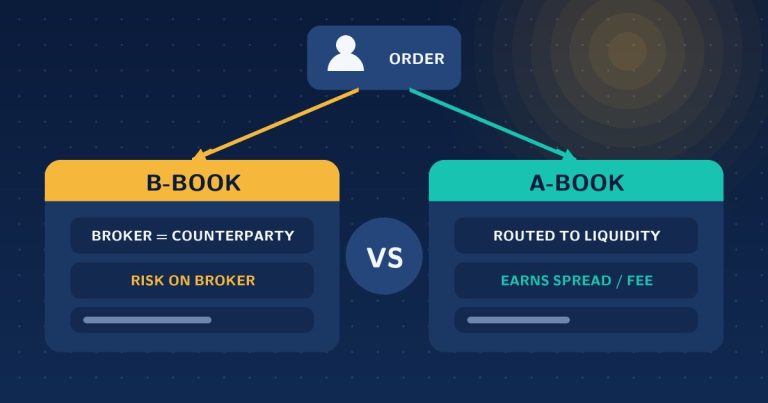
These three levers are your revenue. Work out your cost base first, including the provider’s fees and any liquidity costs, then add a margin that is competitive in your target market. Check your numbers against your competitors’ published conditions before launch. Decide at this stage how you will treat order flow, and read B-book vs A-book explained if you have not settled that yet.
Step 4: Pick your instruments
Forex, CFDs, metals and crypto are typically available. Offer what you can price, support and explain. A narrow, well-supported list beats a long list with gaps in the data.
Step 5: Connect a CRM and traders cabinet
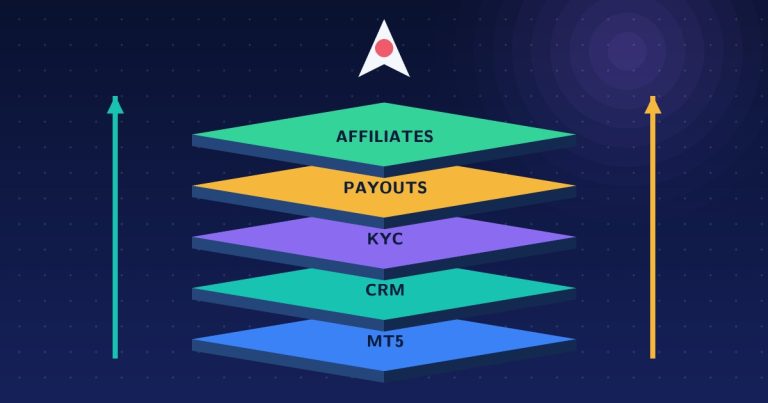
This is the step that decides whether you can scale. A forex CRM and traders cabinet connected through the MT5 Manager API create accounts, process deposits and withdrawals and run KYC automatically. Without them, your team becomes the integration. Our guide to forex CRM vs traders room vs back office explains each layer.
Step 6: Add payments, KYC and support
- Payments: choose the methods your target market actually uses and connect them to your cabinet.
- KYC: define what you require before a first deposit and before a first withdrawal.
- Support: set up a ticket system and chat so conversations stay attached to client records.
Step 7: Test the full client journey
Run a complete cycle with a real test account before anyone else touches the system:
- Register in the cabinet and submit KYC documents
- Approve the profile in the CRM
- Open a live account in the correct group
- Deposit, place a trade, check the price and commission applied
- Request and process a withdrawal
- If you use IBs, confirm a referred client’s commission is credited correctly
Step 8: Go live and watch the first week
Start with a small, known audience. Monitor spreads, execution, support tickets and exposure daily at first. Fix configuration issues while volume is low.
Realistic timeline
- Server and groups: under 24 hours with our setup
- CRM, cabinet and branding: days, depending on how much you customise
- Payments and KYC providers: days to weeks, often the slowest item
- Legal and regulatory work: separate and market-specific
When volume outgrows four groups, the next step is a white label. Compare them in grey label vs white label forex, and use the 12-step setup checklist to keep the whole launch on track.
Frequently asked questions
How long does it take to set up a MetaTrader grey label?
The server side can be live in under 24 hours with our MT5 grey label. The rest of your business, including website, payments, KYC and support, determines when you can onboard clients, usually days to a few weeks.
What do I need to start a grey label?
A provider, a plan for your account groups and pricing, a brand and website, a CRM and traders cabinet, payment methods and a KYC process. With our grey label no incorporation or documents are needed to start, though regulatory requirements for client money depend on your markets.
How many account types can I offer?
That depends on your group allowance. Our MT5 grey label includes up to four groups, so plan them deliberately, for example standard, ECN-style, VIP and a promotional group.
Do I need a CRM for a grey label?
Strictly no, but without one every account, KYC check and withdrawal is manual. A CRM connected through the manager API automates them and is the difference between a hobby and a scalable brokerage.
Ready to start? See the MetaTrader grey label offer or contact us for a walkthrough.